Tenant CRM

About this project πŸͺ΄

Tenant Customer Relationship Management (CRM) is an application for landlords to manage their tenants across multiple properties. It enables users to track rent and bill payments while also monitoring any pending tasks for individual tenants.

Website URL πŸ”—

 https://tenantcrmproject.co.uk/

Purpose 🎯

  • Address the lack of user-friendly tools for managing multiple rental properties
  • Practice building a full CRUD application from scratch
  • Learn and apply core React concepts in a real-world context

Scope and Time πŸ•°οΈ

  • Solo project built independently
  • Completed over ~1.5 months
  • Started with no prior experience in React or working with separate frontend/backend architecture

Setup πŸ—οΈ

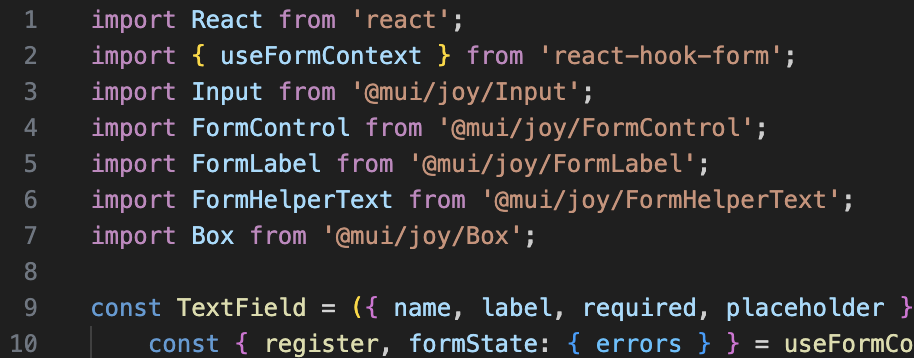
  • Started with a Joy UI template for a clean React front end
  • Connected MongoDB database and established backend API (Node.js + Express)
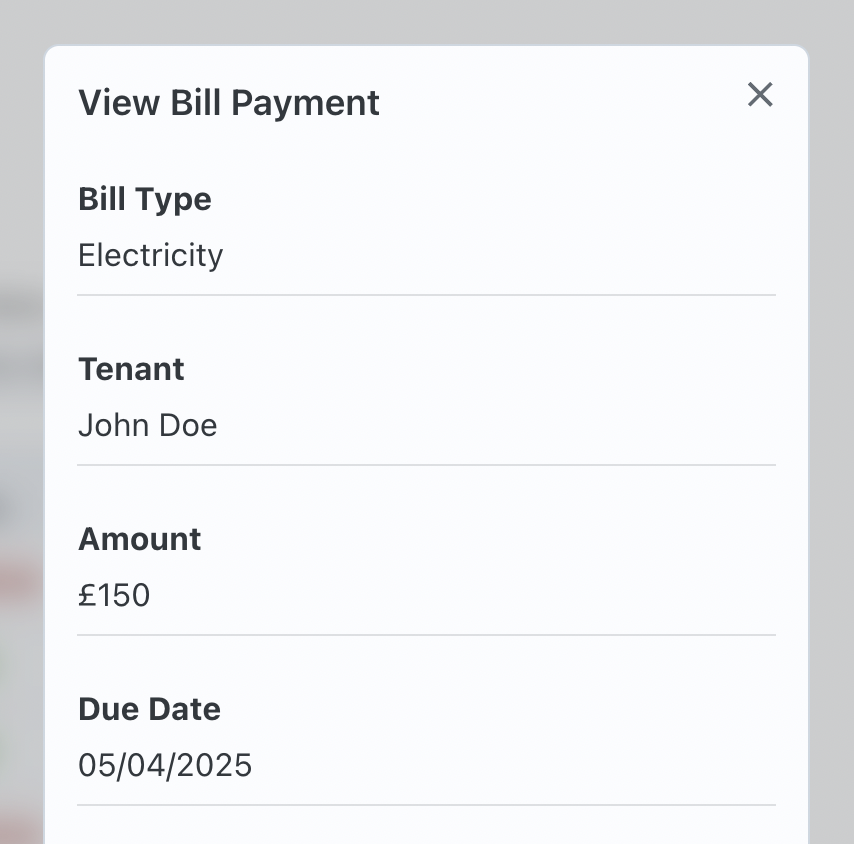
  • Customised UI to fit CRM use-case: table structure, drawer view, status chips
  • Built full CRUD functionality for tenants, bills, and tasks

Deployment πŸ₯

  • Deployed full-stack app to AWS EC2 for scalable hosting
  • Configured server and client with environment variables and process management
  • Gained hands-on experience with cloud deployment and infrastructure basics

Tech Stack πŸ’‘

Front-end

βœ” React
βœ” Joy UI (MUI variant)
βœ” JavaScript

Back-end

βœ” Node.js
βœ” Express

Database

βœ” MongoDB

Deployment/ Hosting

βœ” AWS EC2

Features 🌻

βœ” Create, update, and delete tenant records
βœ” Track rent and bill payments per tenant
βœ” Automatically update aggregate stats (e.g., total rent due)
βœ” Add and manage tasks for each tenant
βœ” Easily reset the data set to default
βœ” Use the app instantlyβ€”no login required
βœ” Sortable and resizable data tables
βœ” Built-in form validation with user-friendly error messages
βœ” Clean, modern UI built with Joy UI
βœ” Responsive layout for different screens

WalkThrough ✨

See what the platform is like in action.

Challenges and solutions πŸ§ͺ

1. Understanding React Syntax and Logic

βœ” Transitioned from vanilla JS to React’s component-based architecture and hooks
βœ” Learned to manage component state for dynamic UIs
βœ” Understood props and data flow between components through persistence and research

2. Linking the Server and Client in a React App

βœ” Figured out backend logic must live outside client folder
βœ” Managed two ports: 5001 for backend, 3000 for frontend
βœ” Built backend schemas, controllers, and routes once architecture was clear

3. Making the Code Reusable

βœ” Initially created page-specific components, limiting reuse
βœ” Refactored to separate visual and CRUD logic into generic, reusable components
βœ” Resulted in cleaner, more maintainable code and saved development time

4. CORS Errors

βœ” Configured proper CORS headers and handled preflight requests on server
βœ” Identified browser compatibility issues during development
βœ” Used browser extension to bypass CORS during dev for smoother workflow

5. Outdated MUI and Joy UI Packages

βœ” Encountered theming errors due to version incompatibility
βœ” Updated both packages to latest versions
βœ” Achieved bug fixes and a sleeker UI appearance

Next steps πŸ“Œ

Next steps to complete this project:

1. Faster data refresh

βœ” Introduce a MobX store for state management
βœ” Enable quicker retrieval and display of aggregate stats per tenant (tasks, bills, rent)
βœ” Reduce UI lag when updating tenant information

2. Charts and UI improvements

βœ” Add charts to visualise data currently shown in tables
βœ” Display new records at the top of tables instead of the bottom
βœ” Implement popup messages to confirm successful updates
βœ” Improve accessibility and overall user experience.

3. Streamline deployment

βœ” Automate deployment process to AWS EC2
βœ” Enable seamless, minimal-manual updates to live site
βœ” Improve workflow speed for pushing changes and iterations